WordPress AI Assistant
AI-powered support for WordPress — install in under a minute
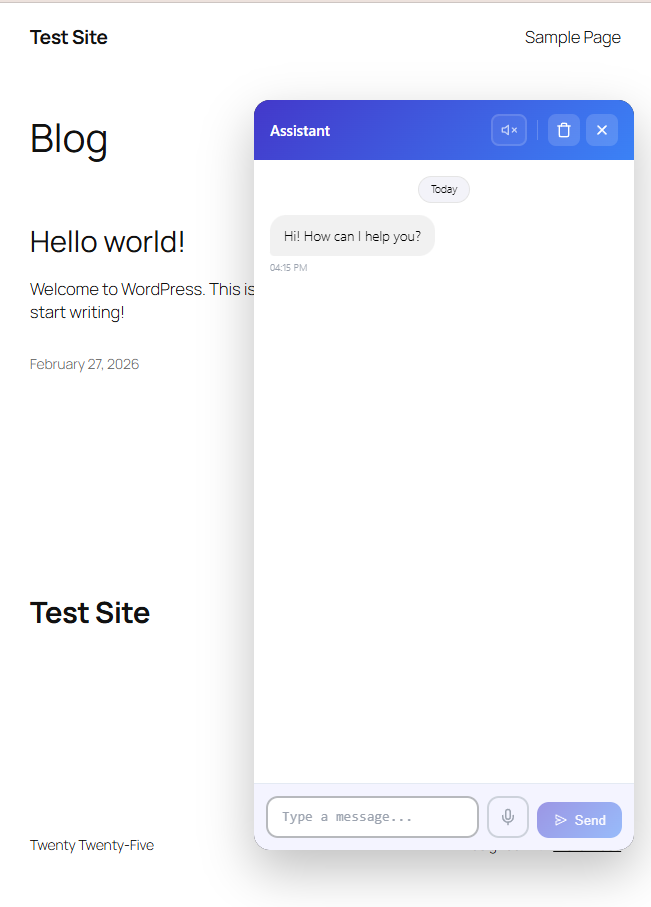
The official Docurest plugin for WordPress. Install from the WordPress Plugin Directory, paste your widget snippet, and your AI assistant is live. No coding, no configuration headaches.
See It in Action
Screenshots
Quick Integration
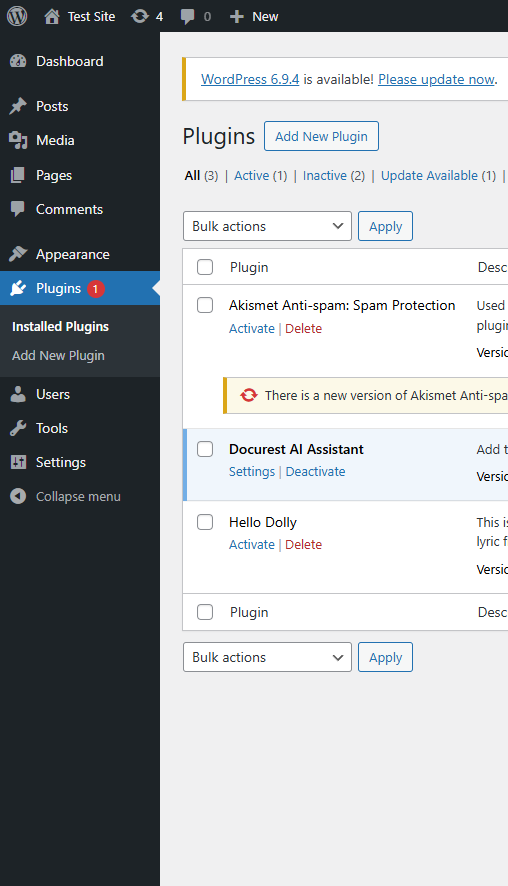
1. Go to Plugins → Add New → search "Docurest AI Assistant"
2. Click Install Now → Activate
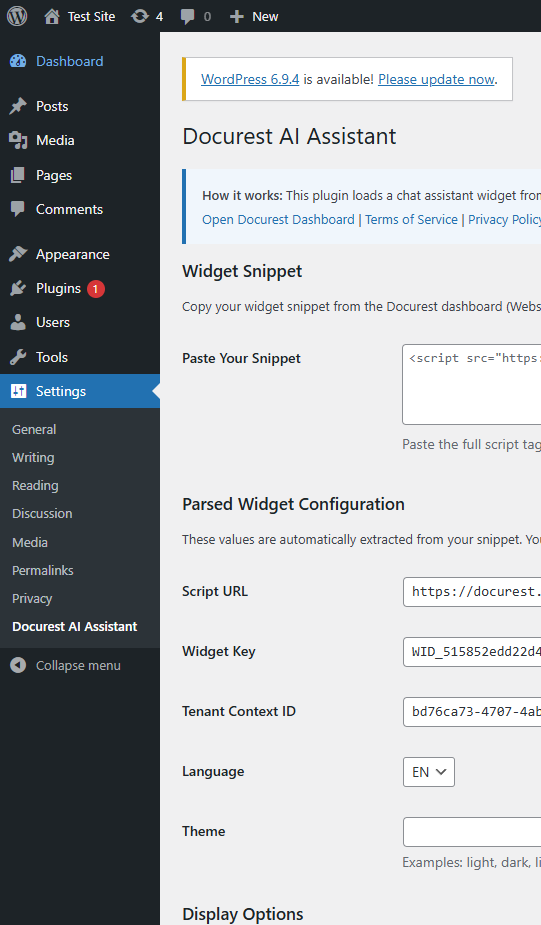
3. Go to Settings → Docurest AI Assistant
4. Paste your widget snippet from the Docurest Dashboard
5. Click Save Settings — done!Real Installation Demo
Features
One-Click Installation
Search 'Docurest AI Assistant' in the WordPress plugin directory, install, and activate. Done.
Paste & Go Setup
Copy your widget snippet from the Docurest dashboard, paste it into the plugin settings, and save.
Display Control
Show the widget on all pages, homepage only, posts only, or pages only — your choice.
Test Connection
Built-in connection test button to verify everything works before going live.
Theme Compatible
Works with any WordPress theme. The widget floats as an overlay and never breaks your layout.
Automatic Updates
Receive updates through the WordPress plugin ecosystem. Always stay on the latest version.
Use Cases
WooCommerce Stores
Answer product questions, shipping policies, and return information automatically.
Membership Sites
Help members find content, understand benefits, and navigate your platform.
Business Websites
Provide instant answers about your services, pricing, and availability to potential clients.
Educational Platforms
Let students ask questions about courses, schedules, and enrollment 24/7.
Start using WordPress AI Assistant today
Create your free account and get up and running in minutes. No credit card required.